Play a Catan-Style Board Game on Your Phone
No app download. Designed for portrait mode and one-handed play
No install required - sign up in 30 seconds
1.Built for Portrait, One-Handed Play
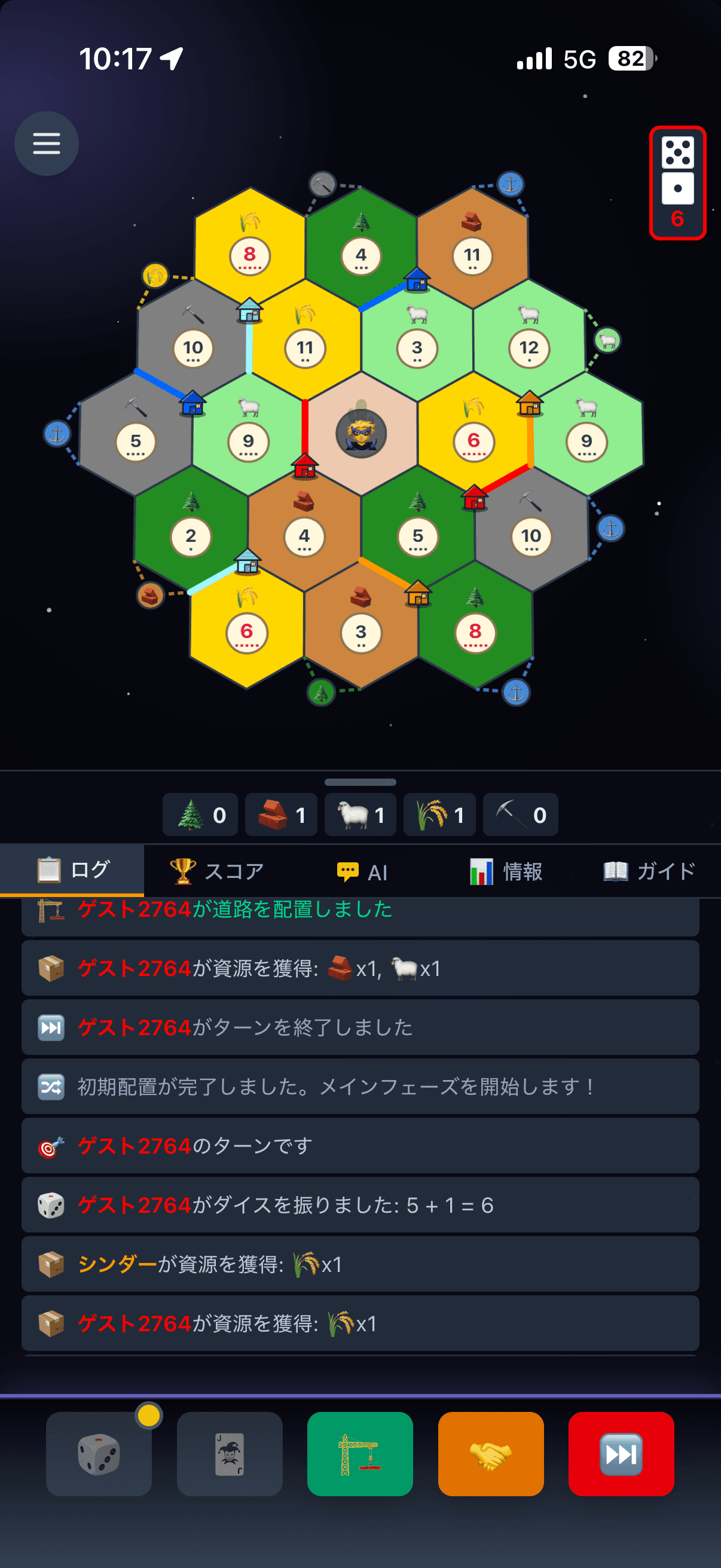
On phones the layout is designed around portrait mode. The buttons and info you use most live in the lower half of the screen, so you can play a turn with one thumb.
Action Buttons at the Bottom
Build, dice, trade, and end turn sit in a single row at the bottom of the screen — all within reach of your thumb.
Resources and Info Below
Your resources are always shown in the bottom bar. Drag the handle to resize the log and player info panel.
Pinch to Zoom the Board
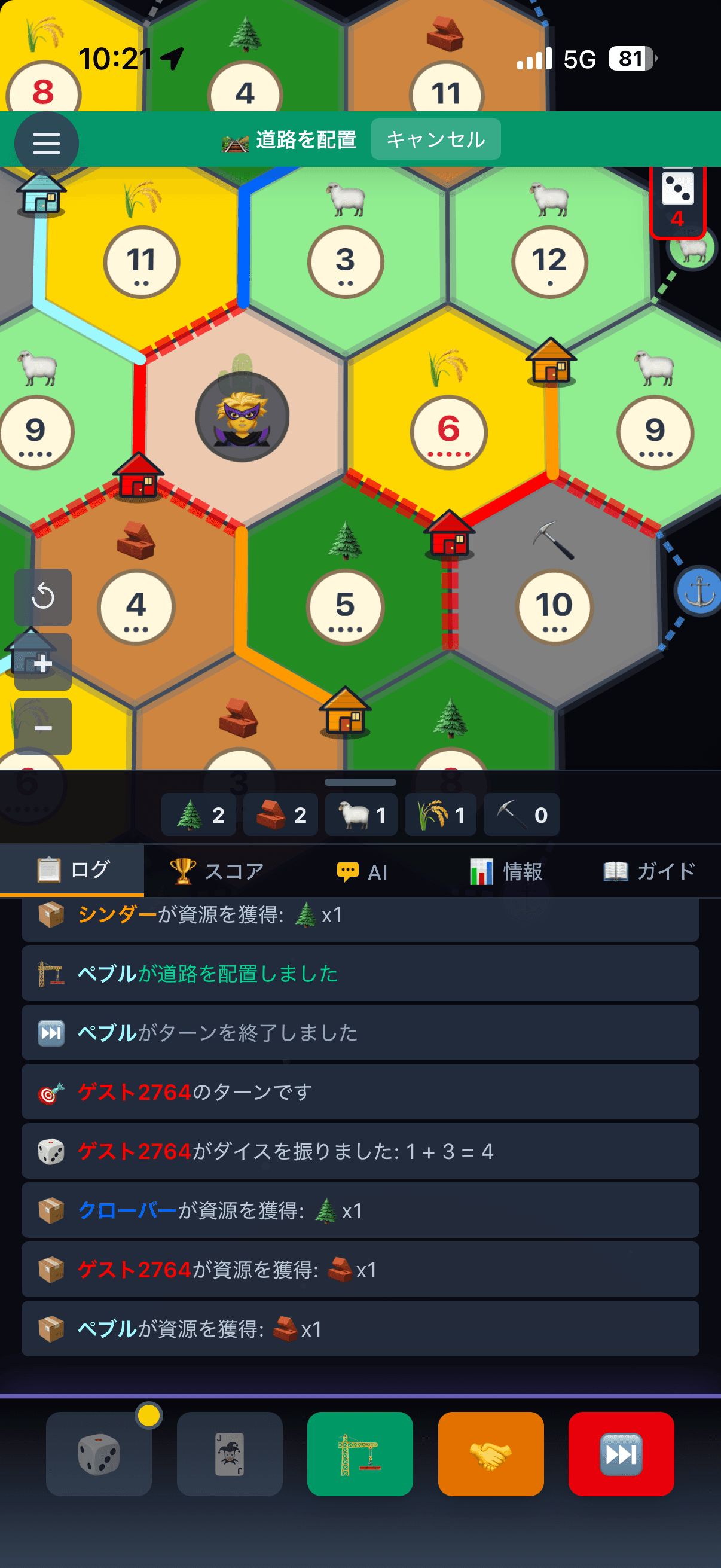
Pinch and drag to zoom and pan the board freely. When you place a settlement or road, the board zooms in automatically so it is easy to tap the right spot.
Notch and Home Bar Aware
Buttons are laid out inside the screen's safe area, so the iPhone notch and home bar never cover them.
Settings That Save Taps
Turn on auto dice roll or auto-reject trade offers from the in-game menu. Against AI you can also speed up AI turns, so games move quickly even one-handed.
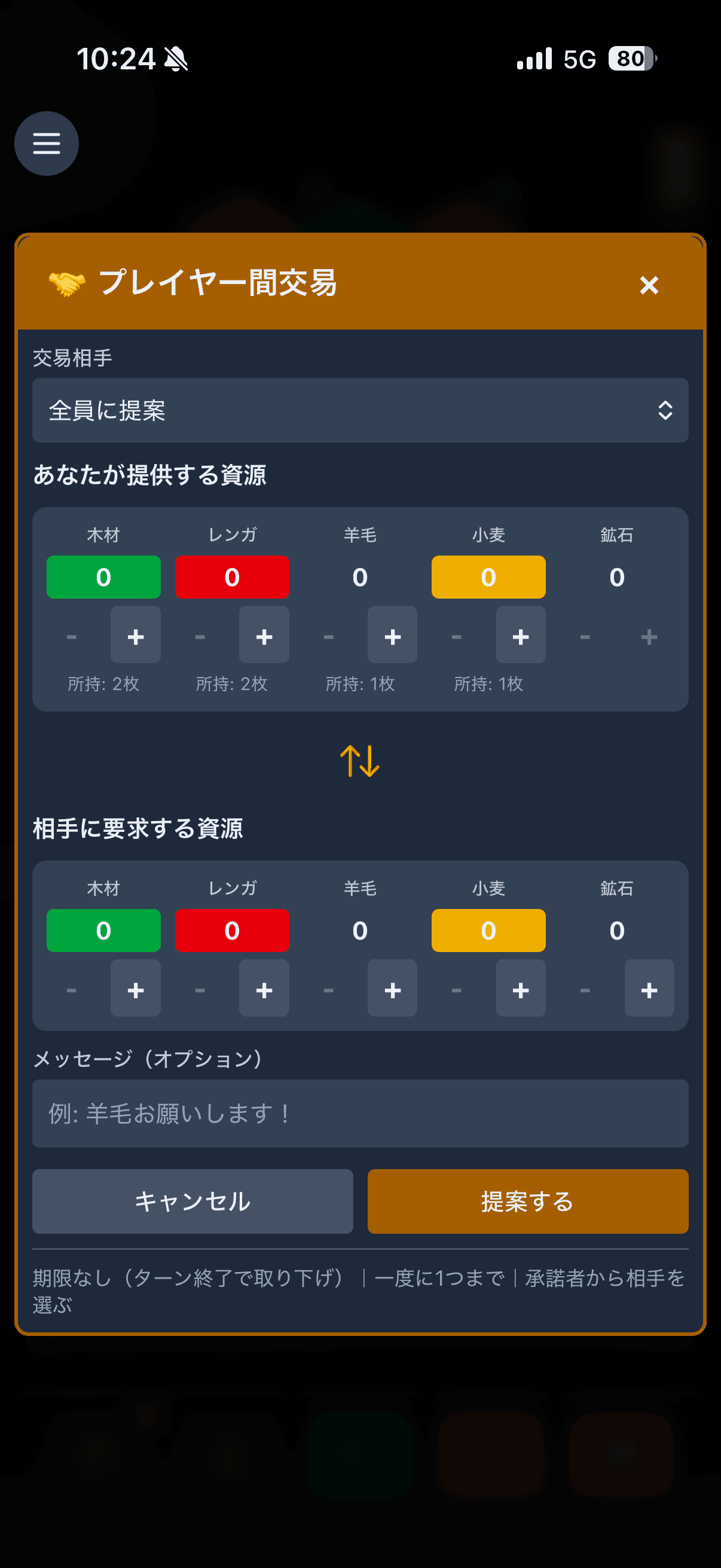
2.What It Looks Like on a Phone
3.Why No App Is Needed
HexaColony runs in your web browser. There is nothing to download from the App Store or Google Play.
No Download
Just open the page in your browser. No waiting for a large download before you can play.
Always Up to Date
No updates to install. You get the latest version every time you open it.
PC and Phone at the Same Table
PC and mobile players can join the same room. With the same account, your stats carry over across devices.
Completely Free
Every game mode is free, including online matches and games against AI.
4.Add It to Your Home Screen
Once added, tap the icon to launch HexaColony full screen without the browser address bar.
iPhone (Safari)
- 1Open the HexaColony top page in Safari
- 2Tap the Share button (if you can't see it, tap "…" next to the address bar, then Share)
- 3Choose "Add to Home Screen", then tap "Add"
On iPhone, the page you were on when you added it becomes the start screen. Add it from the top page.
Android (Chrome)
- 1Open the HexaColony top page in Chrome
- 2Tap the menu (⋮) in the top right
- 3Choose "Add to Home screen" or "Install app"
5.Frequently Asked Questions
Is there a Catan app for phones?
The official digital versions of Catan are available on the app stores. HexaColony is a Catan-style board game, not an official app, but you can play it free in your phone's browser without installing anything.
Is HexaColony on the App Store or Google Play?
No. HexaColony is played in the browser, so it is not listed on the app stores. Open it in your iPhone or Android browser to play, and add it to your home screen to launch it like an app.
Can I play in portrait mode on my phone?
Yes. On phones the game is designed around portrait mode. The action buttons and your resources are grouped at the bottom of the screen, so you can play with one hand.
Can phone and PC players play together?
Yes. PC and mobile players can join the same room. Sign in with Google, Discord, or email to keep the same account, stats, and rating across devices.
Can I play offline?
No. Games run through our server, so an internet connection is required — including games against AI.
Does it cost anything to play on my phone?
No. There is no app to buy or download, and every game mode is free (standard data charges from your carrier may apply).
No install required - sign up in 30 seconds
HexaColony is a Catan-style browser game. It is not an official Catan app or service.